
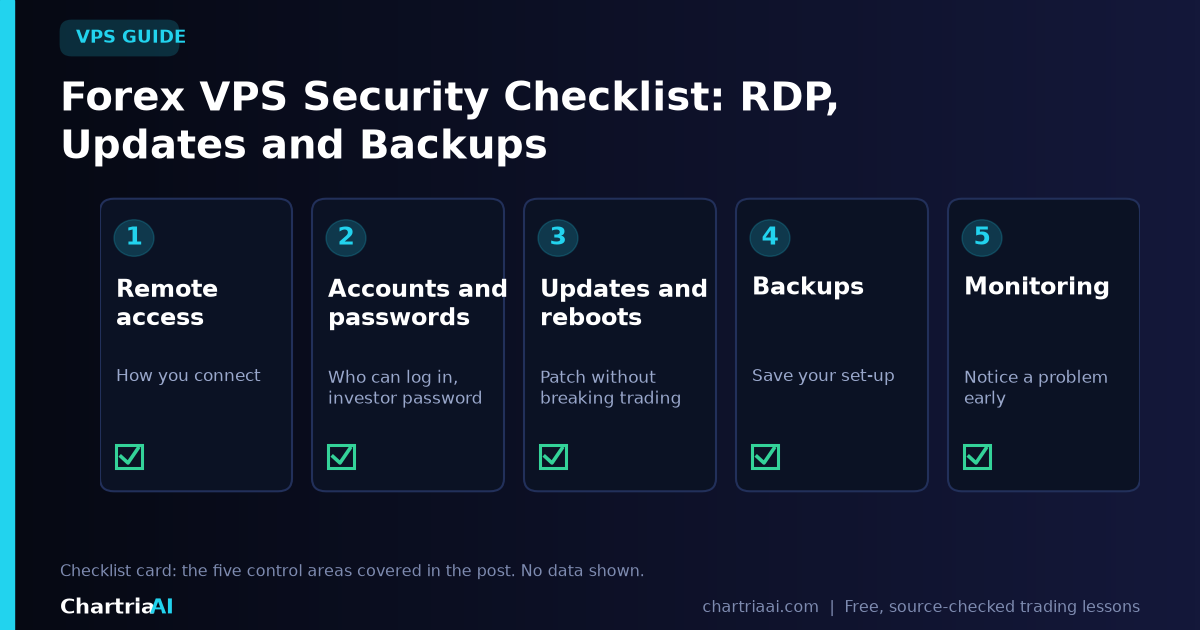
Forex VPS security starts from one fact: a forex VPS is a Windows computer in a data centre that stays on, with a trading platform logged in to your account and a remote-access door that may be reachable from the internet. Three things can go wrong: someone else gets in, you are locked out or the machine stops, or you lose your set-up. This post is the short list of controls for that setup: how you connect, how you log in, how you update, what you back up and how you notice a problem. Whether you need a VPS at all is covered in do you need a forex VPS.
No checklist makes a server safe, and we are not security consultants; this is not professional IT security advice. The items come from public guidance by security agencies, Microsoft and MetaQuotes, each tied to a source you can read yourself.
On this page 11 min read
Key findings
- Remote Desktop (RDP) is the main door into a Windows VPS. The Center for Internet Security (CIS) says that if RDP is required, the system should sit behind a firewall with users connecting through a VPN, with connections allow-listed to trusted hosts, and with strong passwords, multi-factor authentication and account lockout.
- Microsoft’s current guidance says to keep Network Level Authentication (NLA) on whenever possible, because users authenticate before a remote session is set up.
- MetaTrader 5 has a separate read-only investor password, so a monitoring screen or a shared view does not need your trading password.
- Backups and an “is it still running” check cost little and guard against a failure that is easy to miss: a server that quietly stopped doing what you think it is doing.
- Changing the RDP port is not in the CIS list of recommendations. Treat it as a minor step at best, never as the control.
Attackers also go after the computer you connect from. In October 2024 the US Cybersecurity and Infrastructure Security Agency (CISA) published an alert about spearphishing emails carrying malicious RDP files. It recommended blocking RDP files in email and webmail, restricting outbound RDP connections and using multi-factor authentication. The alert is about organisations, but the habit applies to you: do not open a connection file that arrived by email.
Remote access: RDP and how you connect
Know what is exposed. Microsoft’s page on enabling Remote Desktop says that enabling it opens a port and that you should only enable it on trusted networks. A VPS is not a trusted home network, so the controls below carry the weight.
Put a gateway in front of it where you can. The CIS primer recommends placing a system with an open RDP port behind a firewall and requiring users to connect through a VPN. On a rented VPS you may not control the network, so ask the provider what is offered (a VPN, a management gateway, a firewall you can edit). A VPN used to reach your VPS is different from one used to change your apparent location; some prop firms have rules about the second kind (see prop firm VPS, VPN and copy trading rules), and a security control should never be used to get around a firm’s rules.
Allow-list your address if it is stable. CIS recommends whitelisting connections to specific trusted hosts. A firewall rule that only allows RDP from your address blocks connection attempts from other addresses. If your address changes, a VPN with a fixed address is the usual workaround; check the provider supports it.
Keep NLA on. Microsoft says NLA makes users authenticate before a session is established, recommends it for most environments, and says to turn it off only temporarily for older clients that cannot use it. Check the setting on the server rather than assuming the provider’s image has it on.
Use account lockout, and know it can lock you out. CIS lists account lockout policies as a defence against brute-force guessing. The trade-off is real: repeated failed attempts from the internet can lock your own login. Decide in advance how you would get back in (a provider console, a second admin account) and test that path before you need it.
Do not rely on a changed port. The CIS list does not include moving RDP off the default port. In our judgement, a non-default port at most hides the door from the laziest scans.
Accounts and passwords
- Keep an admin login and a trading login separate. The CIS primer recommends restricting RDP logins to authorised non-administrator accounts where possible. Run the platform from a standard account; use the administrator account for updates and settings.
- Use a password manager and a long, unique password for the server, the provider’s control panel and the broker. Microsoft says every account with remote access needs a strong, unique password.
- Turn on multi-factor authentication on the provider’s control panel, because it can reset or reinstall your server. CISA’s alert recommends MFA for remote access, says to avoid SMS-based codes because they can be vulnerable to SIM-jacking, and recommends phishing-resistant methods such as hardware security keys.
- Use the investor password for anything that only needs to look. The MetaTrader 5 help says it gives read-only access: you can view the account and run analysis, but not trade. Check with your broker how it behaves on your account, since the help page describes the platform, not each broker.
- Know what a forced change does. The same help page says that when the master password is changed by force, the investor, money and trader passwords are invalidated and must be set again. Update any tool that used them.
- Keep the server single-purpose. Leave personal email and banking off the VPS.
- Remember that the account balance is what a compromised server puts at risk; see seven risk controls for automated trading for account-level limits.
Updates and reboots
Microsoft Update closes known holes, and the CIS primer recommends automatic updates so software stays current. On a trading server the catch is that an update can restart the machine while an EA is running (an EA’s own risk is a separate matter, as in martingale and grid EA arithmetic).
- Choose the restart window yourself, in Windows Update settings, when the market is closed or you have no open trades, for example the weekend.
- After every restart, check the platform. Confirm that it starts at boot (a Windows or provider setting, not something the MetaTrader help covers), that it logs in, that the charts and EAs are loaded, and that Expert Advisors are still allowed to trade in the platform settings. The MetaTrader help notes that disabling Expert Advisors in the settings stops them trading.
- Test the restart on a quiet day. Reboot once with no open trades and time how long until the EA is ready.
- Update the platform in the same window, not during a session.
Backups
Your broker keeps the trade history, but your set-up lives on the server. Back up what you cannot easily rebuild: EA files and input settings, charts, profiles and templates, custom indicators or scripts, and licence details of any purchased EA (in your password manager). Also keep a one-page runbook: broker server name, account number (never the password), EA name and version, inputs and restart steps.
Keep the copy somewhere that is not the VPS, such as your own computer or a cloud folder with multi-factor authentication. Ask the provider whether it offers snapshots, what they cost and how fast you can restore one; a snapshot you have never restored is a guess.
Monitoring and the one-page checklist
A quiet server is not the same as a healthy one. MetaTrader 5 can send push notifications to the mobile app. Its help says that when the source is the local terminal, notifications are sent only while the platform runs; when the source is the trade server, they come from the broker and do not need the platform open, and the types depend on the broker. So a trade-server notification still reaches you if the VPS has stopped, while a local one tells you nothing when the terminal is down, which is when you most want to know. Use the Test button, and look at the account on your phone with the investor password at a set time each day. See how to vet a forex expert advisor for what a normal pattern looks like.
| Control | Risk it reduces | How to verify |
|---|---|---|
| RDP behind a VPN or firewall, allow-listed | Random internet attempts reach the login | Try from another network; it is refused |
| NLA on | Unauthenticated sessions reach the logon screen | System settings show NLA required |
| Account lockout with a recovery route | Password guessing; self-lockout | Policy set; recovery path tested |
| Separate admin and trading accounts | One stolen login gives full control | Platform runs under the standard account |
| Unique long passwords in a manager | Reuse across sites | Manager audit shows no repeats |
| MFA on the provider panel | Server reset by someone else | Log out and in; code requested |
| Investor password for viewing | Shared access that can trade | Log in with it; trading is disabled |
| Restart window set and tested | EA offline after an update | Reboot once; platform, charts and EA return |
| Off-server copy of EA files, inputs, profiles | Losing the set-up | Restore the copy on a spare machine or demo |
| Trade-server push notifications, tested | A silent stop | Press Test; receive the message |
| No connection files from email | Phishing with RDP files | Delete unexpected attachments |
Neutral questions to ask a provider
We rate no provider; these are questions, not a scoring sheet.
- Can I restrict RDP to my address, or reach the server through a VPN?
- How do I regain access if I am locked out, and how long does it take?
- Is multi-factor authentication available on the control panel?
- Are snapshots included, what do they cost and how do I restore one?
- What is the update policy on the Windows image, and is the restart window mine to set?
What to take from it
Treat the VPS as a computer exposed to the internet that happens to hold a trading account. Reduce what can reach the login, separate the logins, use read-only access when you only need to look, choose your own restart time, keep a copy of your set-up off the server and make something tell you when it stops. That is a handful of settings rather than a project; how long it takes depends on your provider. Start with the table and tick what you already have.
Frequently asked questions
Is changing the RDP port enough to secure a VPS?
No. It is not among the CIS recommendations for RDP. At most it removes some automated noise. The controls that matter are restricting who can reach the login, strong unique passwords, multi-factor authentication where possible and account lockout.
Should I use the master password on my phone to watch trades?
Use the investor password when you only need to look. The MetaTrader 5 help describes it as read-only access that cannot place trades, so a lost phone or a shared screen cannot be used to open or close positions. Confirm how your broker applies it.
Will Windows updates stop my expert advisor?
They can, if an update restarts the server while the platform is running. Set the restart window yourself, check that the platform, charts and EA come back after each restart, and test a reboot once while no trades are open.
Do I need to back up if my broker keeps my trade history?
Yes, for the set-up. Your broker keeps the trades, but not your EA inputs, templates or profiles, or the notes on how it was configured. Keep a copy off the server, and test that you can restore it.
Can I use a VPN to protect my VPS login?
A VPN or gateway in front of RDP is a recommended control. But a VPN that changes your apparent country is a separate matter, and some prop firms restrict it. Read your firm’s rules and do not use a tool to get around them.
Method and data
This post uses no market data. It is a checklist assembled from documents we opened and read on 22 November 2026; the list under Sources shows which. We read the CISA alert announcing the joint remote-access guide, not the full guide. Limits: the CIS primer is from 2019 and addresses organisations; VPS plans differ by provider and Windows edition; MetaTrader help describes the platform and a broker’s implementation may differ. Items marked as our judgement are not from a source. Nothing here guarantees a server will not be compromised, and no provider is rated or recommended.
Educational content only, not financial advice or professional IT security advice. Trading involves substantial risk of loss. Read the full risk disclaimer.
Sources and further reading
- CIS, Security Primer: Remote Desktop Protocol, 8 January 2019: https://www.cisecurity.org/insights/white-papers/security-primer-remote-desktop-protocol
- CISA, Foreign Threat Actor Conducting Large-Scale Spearphishing Campaign with RDP Attachments, 31 October 2024: https://www.cisa.gov/news-events/alerts/2024/10/31/foreign-threat-actor-conducting-large-scale-spearphishing-campaign-rdp-attachments
- CISA and partners, Guide to Securing Remote Access Software (alert of 6 June 2023): https://www.cisa.gov/news-events/alerts/2023/06/06/cisa-and-partners-release-joint-guide-securing-remote-access-software
- Microsoft Learn, Enable Remote Desktop on your PC: https://learn.microsoft.com/en-us/windows-server/remote/remote-desktop-services/remotepc/remote-desktop-allow-access
- MetaTrader 5 Help, Authorization: https://www.metatrader5.com/en/terminal/help/startworking/authorization
- MetaTrader 5 Help, Settings (notifications and the Server tab): https://www.metatrader5.com/en/terminal/help/startworking/settings
- MetaTrader 5 Help, Algo trading: https://www.metatrader5.com/en/terminal/help/algotrading/autotrading
Keep reading
- Do you need a forex VPS? when a server is worth it
- Prop firm VPS, VPN and copy trading rules what firms say about servers
- Seven risk controls for automated trading limits that protect the account
- How to vet a forex expert advisor what to ask before you run one
- VPS guides and reviews the VPS section
Last reviewed 22 November 2026. Published by ChartriaAI. Questions or corrections: use our contact page, and see how we check our work.